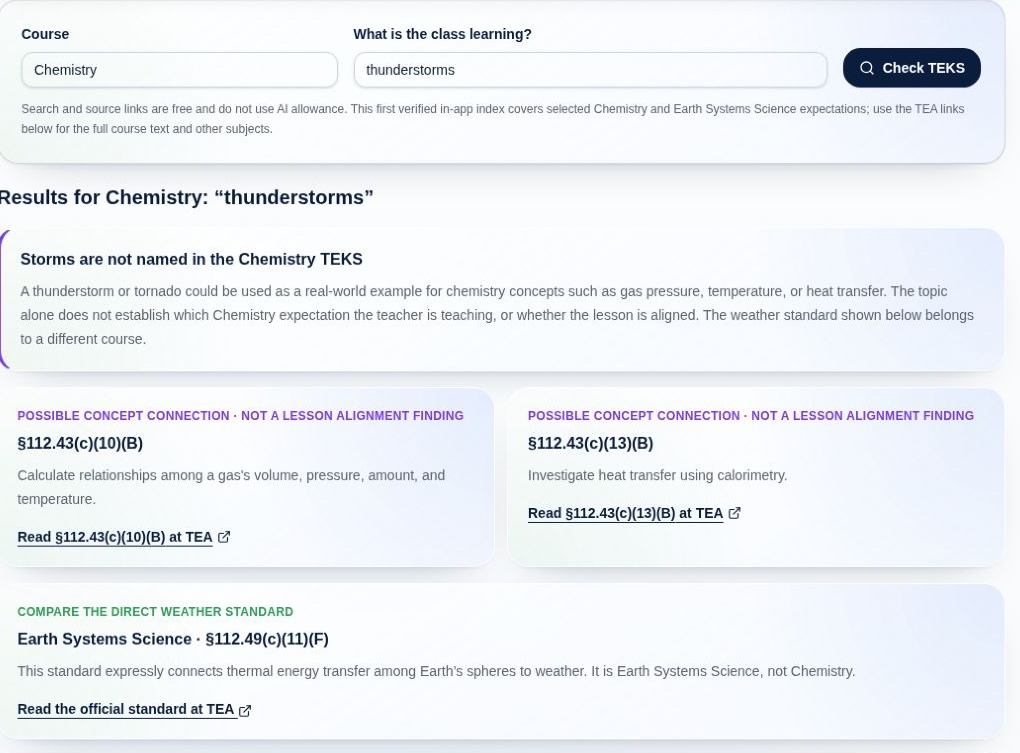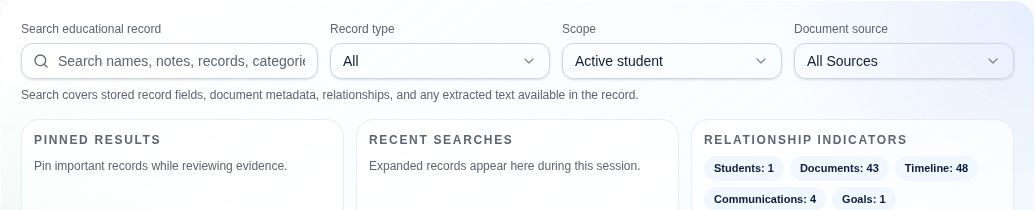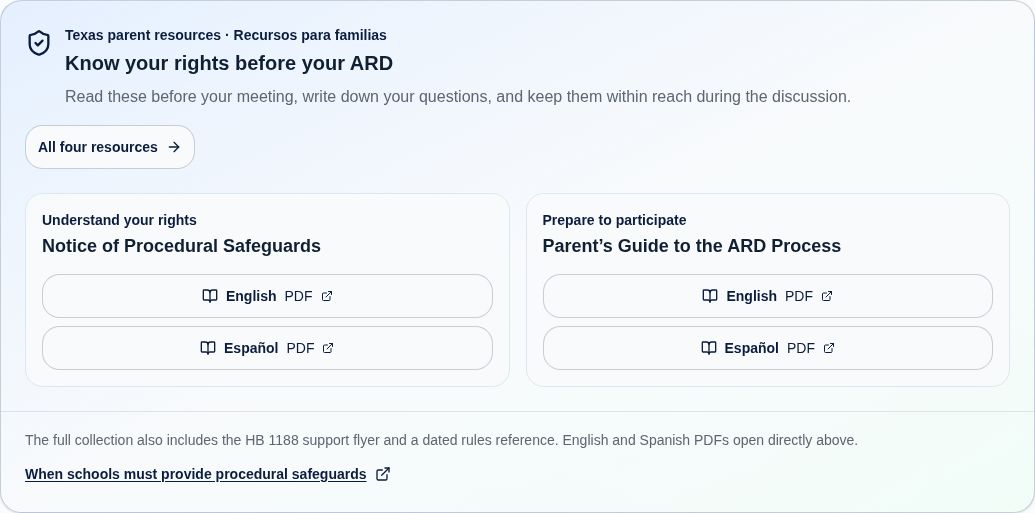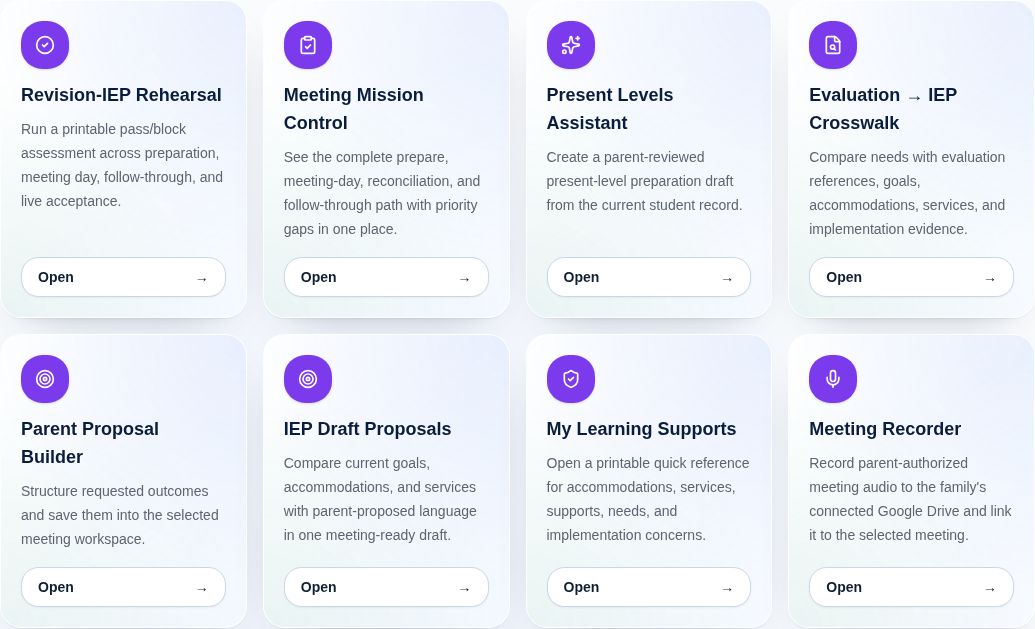

Supporting families nationwide, with expanded Texas-specific guidance and resources. Additional state-specific resources are coming.·Explore subscriptions

FOR FAMILIES NAVIGATING SPECIAL EDUCATION

Know what changed.
Know what comes next.

Compare IEPs. Understand the evidence. Track the supports your student needs. Gather It turns a scattered school record into a clearer plan for your next conversation.

Your student’s story. Your questions. Your voice at the table.

One record. A clearer picture.Example
SCHOOL EMAIL

Reading support follow-up

One original in your Google Drive

PDF

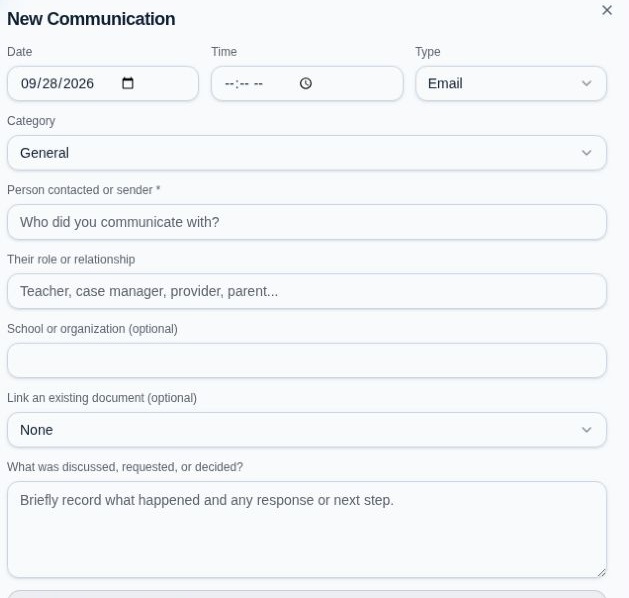
One record, linked in two places.
Keep the history and bring the same email to your meeting.

Try the selections above. You choose where a record connects.

Add once.
Connect where it matters.
Connected records Family-controlled access A history you can follow

A QUESTION. THE WORDING. THE PAGE.

Find the IEP wording.
Keep it within reach.

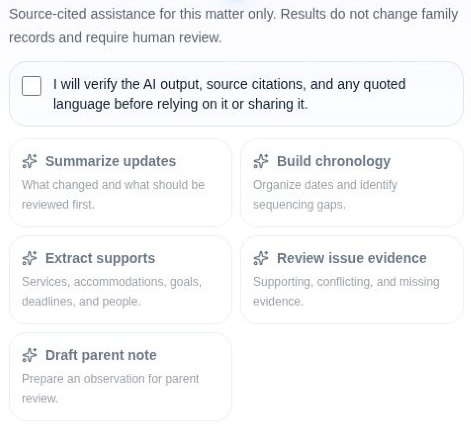
In an IEP meeting (called an ARD meeting in Texas) or on a call with the school, the details matter. Choose your connected IEP and ask in your own words. Ask Gather It reviews that file and brings back relevant passages, with page references when available.

  • Check the evidence. Read quoted wording and see where it appears in the document.
  • Open the original. Use Open document beside the answer to read the surrounding section in a popup.
  • Save it for the conversation. Keep the question, answer, and citations in AI History. Reopen them after a timeout or on another device without another AI request.

AI allowances are included with Family Plus, Family Complete, and Family Max. A new document review uses your plan’s AI credits. Saving and reopening the response use no AI credits.

Compare plans with AI
MyGatherIt AssistantIllustrative example
Connected document: Example IEP.pdf

“Are quizzes covered by this accommodation?”

Passage found

The selected IEP names both tests and quizzes.

“Provide notes and study guides for tests and quizzes.”

Source: Example IEP.pdf · page 12

Save responseOpen document
Fictional wording and page number shown to explain the feature. Check every answer against your original document; an unclear or unreadable file may require further review.

CLARITY THAT HELPS YOU ACT

The next meeting
starts with what you know.

When the details are connected, you can ask better questions, explain what matters, and follow through.

01 / UNDERSTAND THE CHANGE

An updated IEP.
A clearer picture of what changed.

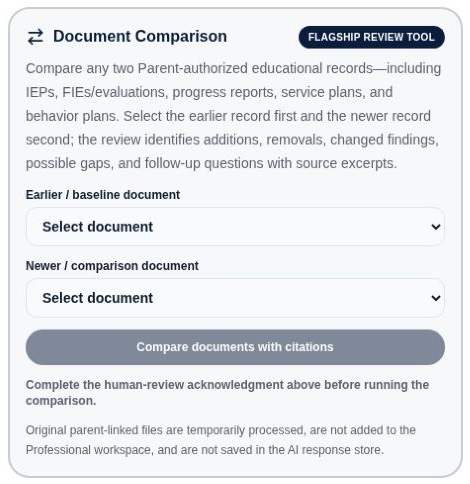
Compare two IEPs or other educational records. Review additions, removals, changed findings, and questions to bring back to the team—with source excerpts to check.

  • Compare IEPs, evaluations, service plans, and more
  • Return to the evidence behind a finding
  • Keep human review at the center of each decision
Find your plan
DOCUMENT COMPARISONSee the change. Check the source.
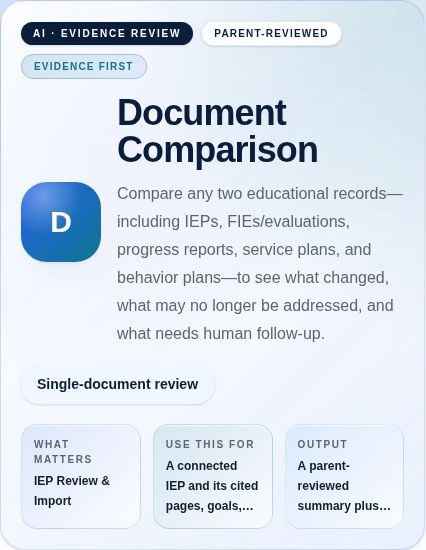
Gather It Document Comparison introduction and supported educational records
Actual Parent workspace · Document Comparison
02 / MAKE THE PLAN PART OF EVERYDAY LIFE

The IEP is signed.
Keep the follow-through in sight.

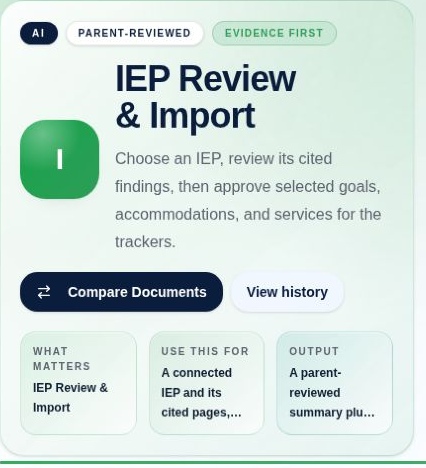
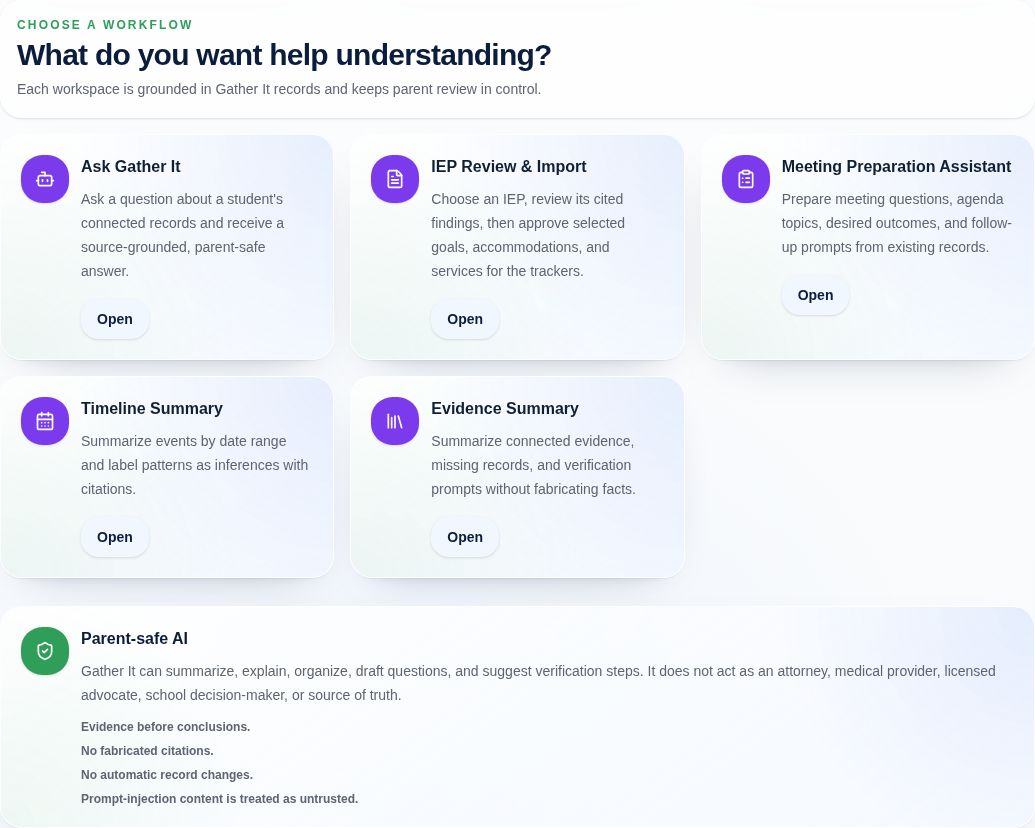
Review an IEP’s cited findings, then approve the goals, accommodations, and services you want to bring into your trackers. Connect the plan to what happens during the school year.

  • Choose what to import after you review it
  • Follow goals, supports, and implementation
  • Keep observations connected to the original record
Explore family subscriptions
IEP REVIEW & IMPORTFrom a document to your next steps.
IEP Review and Import tools for reviewing findings and approving goals, accommodations, and services
Actual Parent workspace · IEP Review & Import
03 / BRING THE RECORD INTO THE ROOM

Less last-minute searching.
More time for the conversation.

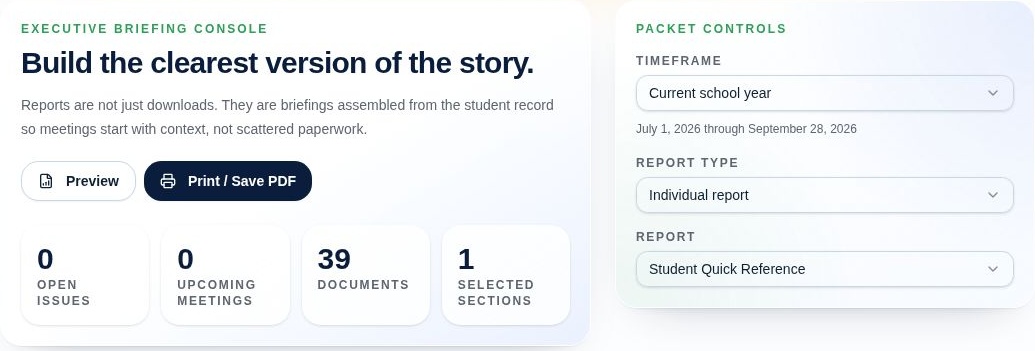
Bring your concerns, questions, proposals, and supporting records together. Choose the sections that matter and assemble a meeting or advocacy packet you can preview, print, or save as a PDF.

  • Prepare questions and parent proposals
  • Choose an audience and relevant report sections
  • Keep decisions and follow-up connected afterward
Choose your workspace
REPORTS & MEETING PREPARATIONYour story, ready to share.
Gather It report and packet preparation controls
Actual Parent workspace · Reports & Packets

Tools and capacity vary by subscription. Compare what’s included.

MEET GATHER IT

From overwhelmed
to ready for the conversation.

Explore how Gather It brings education records, meeting preparation, and family-approved collaboration into one place.
1 min 25 sec · Captions available

Illustrative demo featuring AI-generated people and fictional scenarios. Records shown are examples.

This video uses the former workspace name Advocate Portal. The current product calls this Team Member and lets the parent choose the person's title and access.

Read transcript

I just don't understand what any of this means. And we have the IEP meeting in the morning. Introducing Gather It. Bring your family's education records together, so you can find what matters and prepare for what comes next. Bring the pieces together. Search educational records, find the document you need, and return to the details that matter. Review an IEP with cited findings, then choose which goals and accommodations to add to your trackers. Follow progress, keep questions close, and plan for meetings, deadlines, and next steps. Explore information for the situation your family is facing, from preparing for an IEP meeting to planning for life after high school. And the support doesn't stop with parents. The Student Companion gives students a place to understand their supports and make their own voice heard. An Attorney Portal brings parent-approved records into one focused matter. An Advocate Portal supports the people helping your family prepare. From a table covered in paperwork to a clearer picture of what comes next. Gather It. Knowledge enables participation.
FROM SCATTERED TO CONNECTED

Less searching.
More understanding.

Keeping a record should make the next conversation easier. Gather It brings the documents and the context together.

01

Bring in what you have.

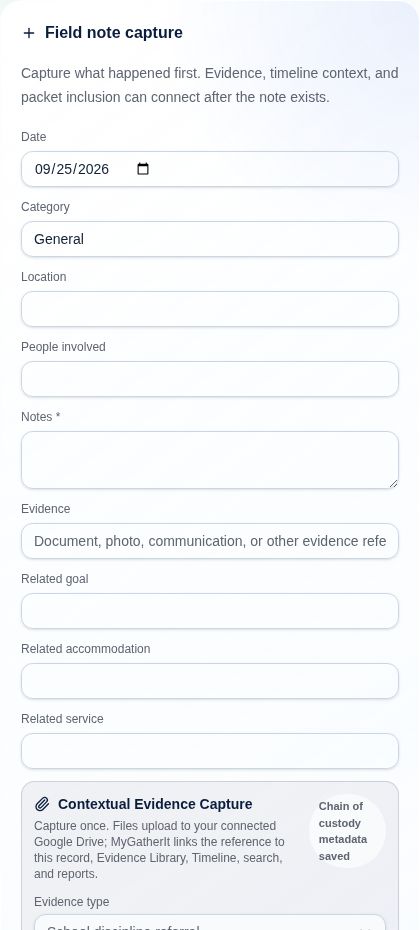
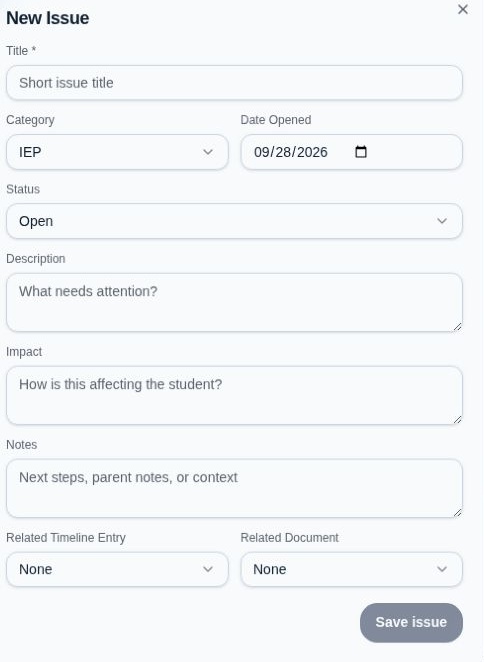
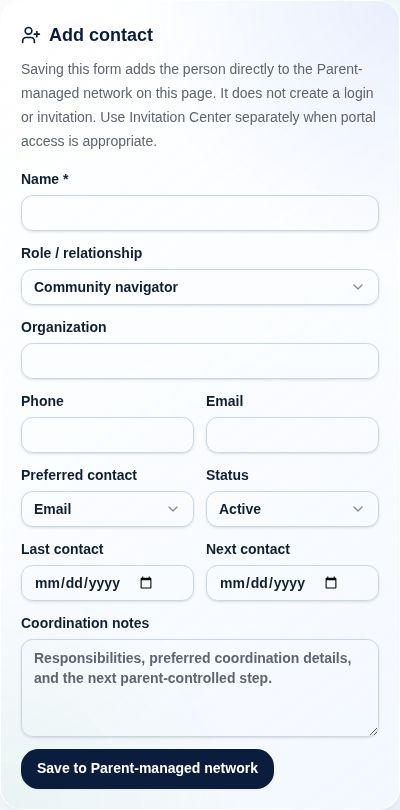
Select an existing Google Drive file or upload a new one. Personal OneDrive connection and upload are in controlled release and are not generally available yet. Capture a note, add a communication, or record what happened while it’s still fresh.

Documents · Emails · Observations
02

Choose what it connects to.

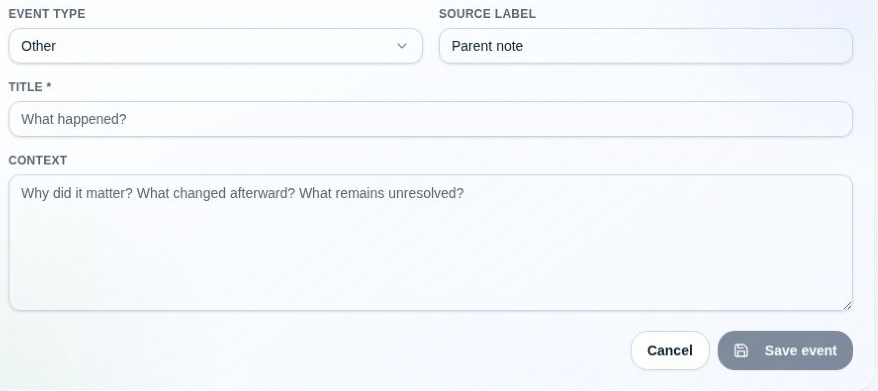
Link the record to the relevant timeline event, meeting, concern, or goal. Keep its source visible as you add context.

One record · Multiple connections
03

Use the full picture.

Prepare for the next meeting, find supporting evidence, and follow goals and services across the school year.

Prepare · Participate · Follow through

INSIDE GATHER IT

A place for the work
between meetings.

School life keeps moving after the paperwork is signed. Keep the everyday details connected to the bigger picture.

Find your family’s fit

What was agreed to?
What happened next?
Where’s the record?

The questions your records should help answer.

Your educational record

Documents, communications, and a timeline that gives the school year context.

IEP and meeting preparation

Review documents, compare IEPs, and bring your questions and supporting records together.

Goals, accommodations, and services

Review and approve items from an IEP, then follow progress and implementation in their trackers.

Your student and trusted support

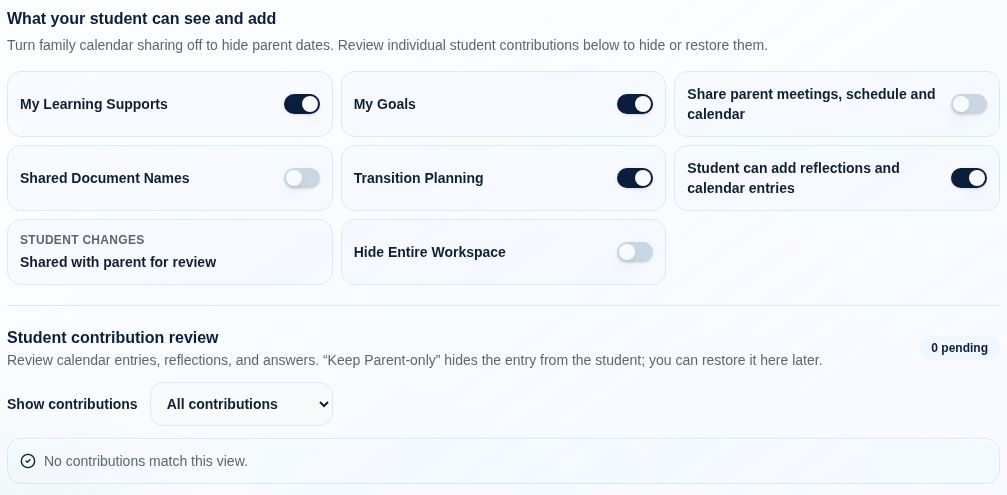
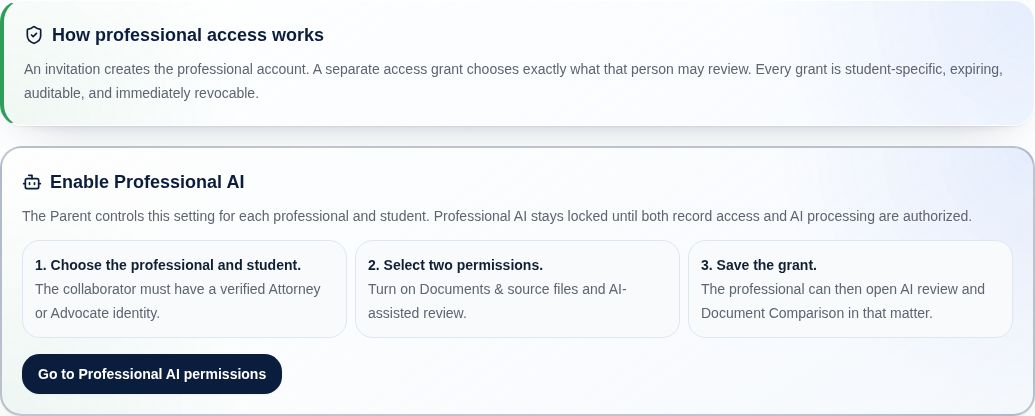
Enable Student Companion and choose the records an invited Team Member or attorney can access.

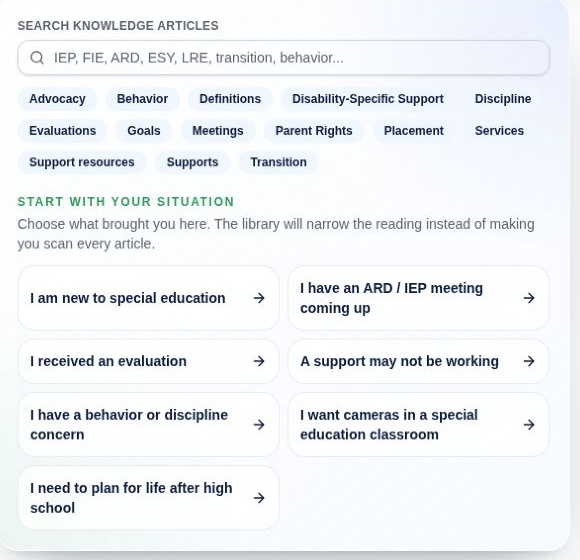
Support beyond the paperwork

Explore community resources and activities, with location and eligibility details to help you take the next step.

FOUR CONNECTED EXPERIENCES

One family record.
The right view for each person.

A parent brings the story together, then chooses whether to enable Student Companion and what an invited attorney or Team Member can see.

01 / PARENT

See the whole picture.

Gather records, track the school year, review IEPs, prepare for meetings, follow goals and services, and plan what comes next.

Gather · Understand · Prepare · Transition

Your family’s workspace

  • Organize & understandConnect records, review IEPs, explore the Knowledge Library, and find source material.
  • Prepare & follow throughBuild goals and accommodations, prepare meeting questions, and track what happens next.
  • Choose who participatesEnable Student Companion and invite an attorney or Team Member with the access you choose.
Explore all eight parent sections ↓

Illustrative demo featuring AI-generated people and fictional scenarios. Records shown are examples.

Read transcript

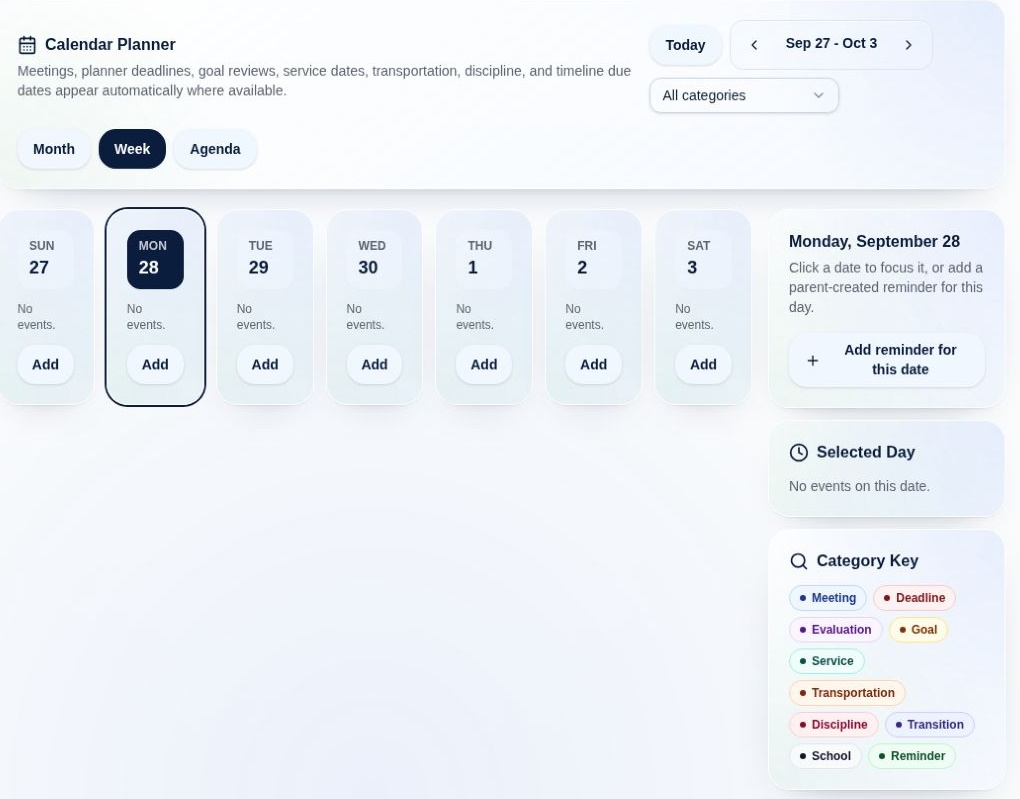
When your child's education comes with a mountain of paperwork, knowing where to begin can feel overwhelming. Gather It helps you bring that information into focus. Start with Record Search. Find the educational record you need, then follow its context across documents, notes, and communications. Preparing for an IEP review? Choose an IEP and review its cited findings before approving selected goals and accommodations for your trackers. Keep track of baselines, targets, progress, and the questions you want to ask. The Long Range Planner brings meetings, deadlines, reviews, and follow-ups into view. And the knowledge library helps you explore the situation in front of you, whether you're preparing for an IEP meeting, reviewing an evaluation, or thinking about life after high school. Less time looking for the pieces. More time preparing to participate. Gather It. Knowledge enables participation.

02 / STUDENT COMPANION

Make the day easier to navigate.

When a parent enables it, the student gets a separate space for their day, with reading and accessibility controls.

Parent-enabled access

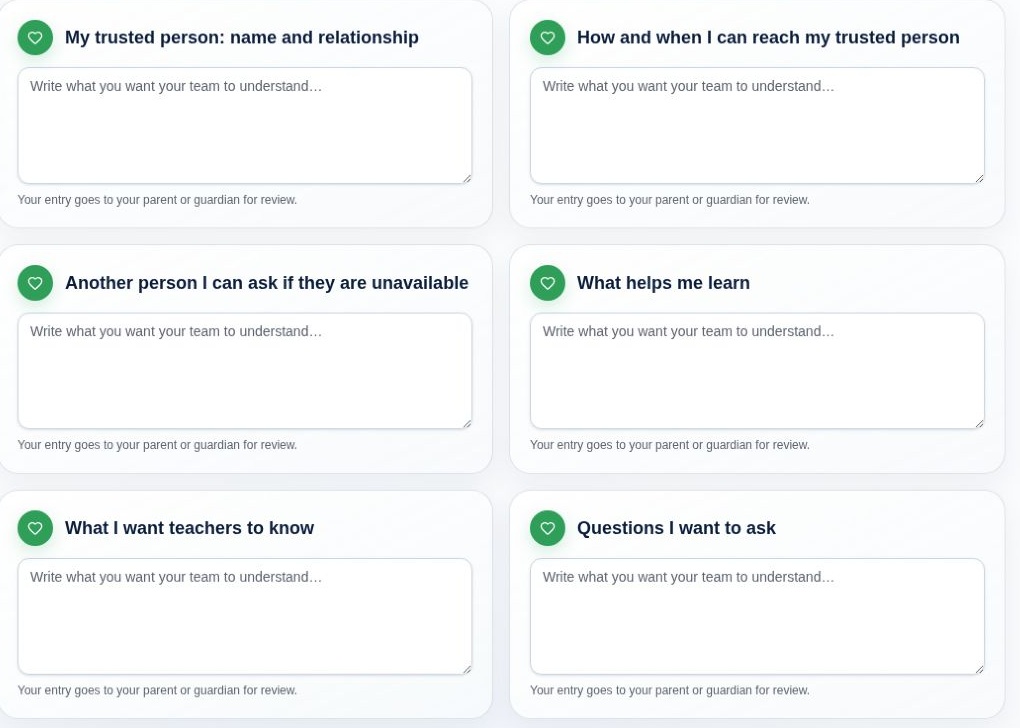
A space for the student’s voice

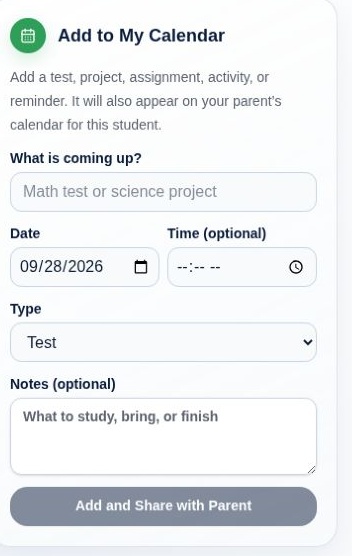
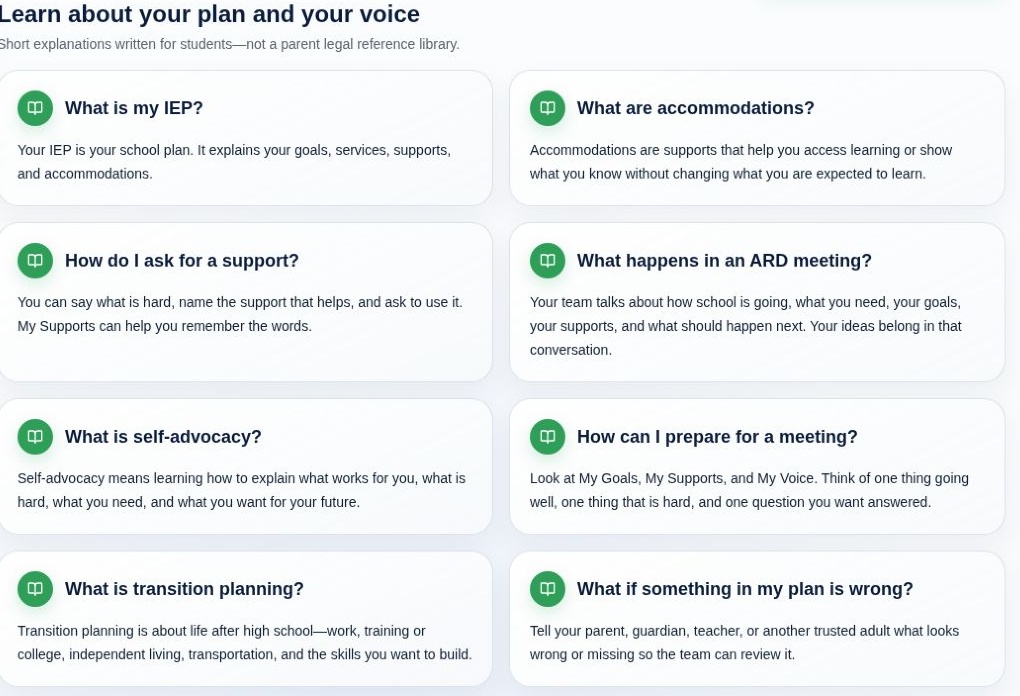
  • My DaySee the schedule, reminders, and information shared with the student.
  • Goals & supportsUnderstand goals and accommodations in student-friendly language.
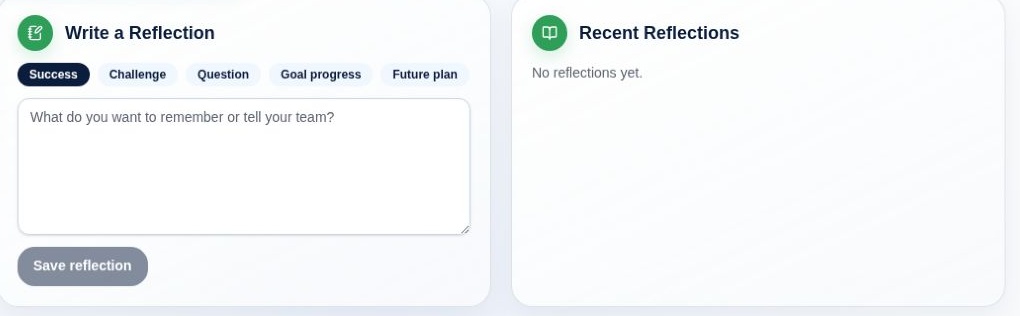
  • Reflections & next stepsKeep questions, personal wins, and transition tasks in view.

Student Companion is included with Plus, Complete, and Max when the parent enables it.

Illustrative demo featuring AI-generated people and fictional scenarios. Records shown are examples.

Read transcript

Your education should include your voice. The Gather It Student Companion is a protected space to understand your schedule, goals, supports, meetings, and next steps. See the information shared with you in language that helps it make sense. Keep track of reminders, transition tasks, personal wins, and questions you want to ask. Think about what is working, what is difficult, and what would help you participate. Your reflections belong in the conversation, without changing the parent's record. A clearer view of your day. More confidence about your next step. Gather It. Knowledge enables participation.

03 / ATTORNEY

Review with context.

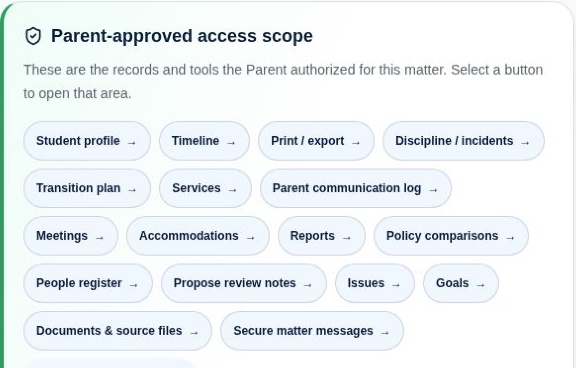
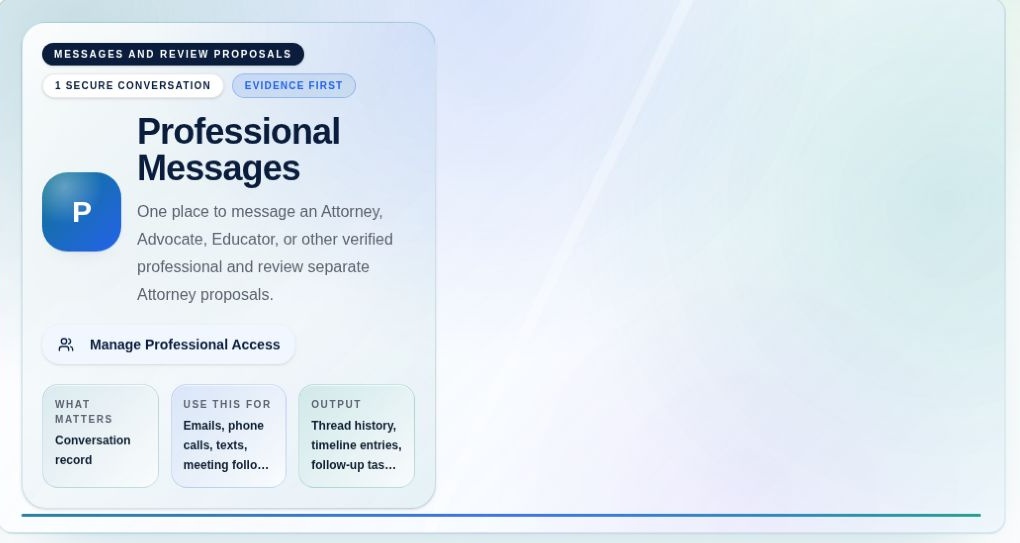
An invited attorney can work within the access the family grants, using assigned matters, document comparison, notes, and secure messaging.

Invitation and permissions required

Review the matter with context

  • Authorized recordsWork with the documents and information the parent has chosen to share.
  • Private professional notebookOrganize analysis, questions, and next steps; export when permission allows.
  • Messaging & proposalsExchange secure messages and send selected recommendations for parent review.

Parents on Plus, Complete, or Max can invite their attorney without a separate professional subscription for that shared matter. Professional plans support a separate workspace across multiple matters. Explore professional plans ↗

Illustrative demo featuring AI-generated people and fictional scenarios. Records shown are examples.

Read transcript

Your casework should not be scattered across email threads, separate documents, and disconnected notes. Gather It brings the review and the conversation into one workspace. Review the records the parent has authorized, and exchange secure messages about the matter. Keep your analysis, questions, and next steps in a private professional notebook. With export permission, download your notes as text, or print and save them as a PDF. When you're ready to share a recommendation, copy a selected note into a Parent Review Proposal. The parent can accept or decline it. The rest of your private notebook stays private. Less switching between programs. A clearer record of the work and the decisions. Parents can invite their attorney without the attorney buying a separate professional plan just to collaborate on that shared matter. Gather It. Knowledge enables participation.

04 / TEAM MEMBER

Support the next step.

Your team can include many professions and services—an advocate, case worker, therapist, tutor, camp director, or another trusted person. Invite each Team Member with the display title and access you choose.

Invitation and permissions required

Keep preparation and collaboration together

  • Parent-approved informationReview shared evaluations, goals, supports, and meeting history.
  • Private working notesKeep analysis and preparation notes organized within the matter.
  • Recommendations & follow-throughMessage the parent and submit selected recommendations for their review.

Parents on Plus, Complete, or Max can invite a Team Member without a separate professional subscription for that shared matter. Professional plans support a separate workspace across multiple matters. Explore professional plans ↗

Illustrative demo featuring AI-generated people and fictional scenarios. Records shown are examples.

Team members can represent many professions and services. The parent chooses each person’s title, student, and record access.

Read transcript

Every family’s team looks different. An advocate, case worker, therapist, tutor, or camp director may each help in a different way. Gather It gives invited team members a shared place to prepare, communicate, and follow through. The parent chooses each person’s title, the student, and the records they can access. A title never adds permissions. Review the records the parent has shared. Compare documents, follow the student’s history, and bring focused questions to the next conversation. Exchange secure messages with the parent, and keep your analysis in a private professional notebook. With export permission, download your notes, or print and save them as a PDF. When you’re ready to make a recommendation, copy a selected note into a Parent Review Proposal. The parent can accept or decline it. The rest of your notebook stays private. Each team member uses their own account. On eligible family plans, the parent can invite a team member to collaborate on that shared matter without requiring them to buy a separate professional subscription. Different roles. One connected effort to support the student. Gather It. Knowledge enables participation.

Parents on eligible plans can invite an attorney or Team Member to collaborate without a separate paid professional subscription. Each person uses their own login, and parents choose which records to share.

YOUR VIRTUAL ASSISTANT

Ask in your own words.
Choose how far to go.

“Where is that document?” “Help me find the right page.” “Help me draft questions for an IEP meeting.” MyGatherIt Assistant helps you find records, tools, and resources—and offers AI assistance when you want more.*

NO AI CREDITS USED

Find your way.

Direct record lookups, page navigation, and program results do not use your AI allowance. You don’t need to know the name of the tool or page to ask for help.

YOUR CHOICE BEFORE AI USE*

Get a fuller response.

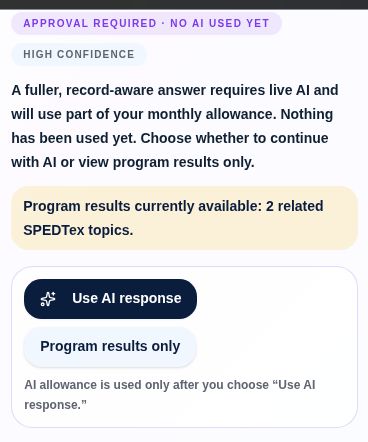
When a request needs live AI-for example, a grounded follow-up about a selected document or an editable draft-the assistant asks first. Choose “Use AI response” to continue with AI, or “Program results only” to keep the response within the available non-AI results.

*Live AI responses use your plan’s shared allowance. Searching and navigating do not. For Ask Gather It, the approval step shows selected sources and the maximum credit reservation before live AI begins. The assistant can also prepare reviewable filing and meeting actions; nothing is applied until you confirm. Assistant filing currently uses Google Drive, not OneDrive. Review generated suggestions; the assistant does not automatically edit, delete, submit, or share your records.

EXPLORE EVERY PART OF GATHER IT

Understand more.
Take the next step.

Your records are the starting point. Gather It brings learning, planning, practical tools, and trusted support into the work of helping your student.

Open a colored section to see its screens rotate. Use the arrows or page menu to explore at your own pace, and select any screen for a larger view.

Foundation

Start with your student.

5 page & tool previewsExplore the screensHide slideshow
1 / 5
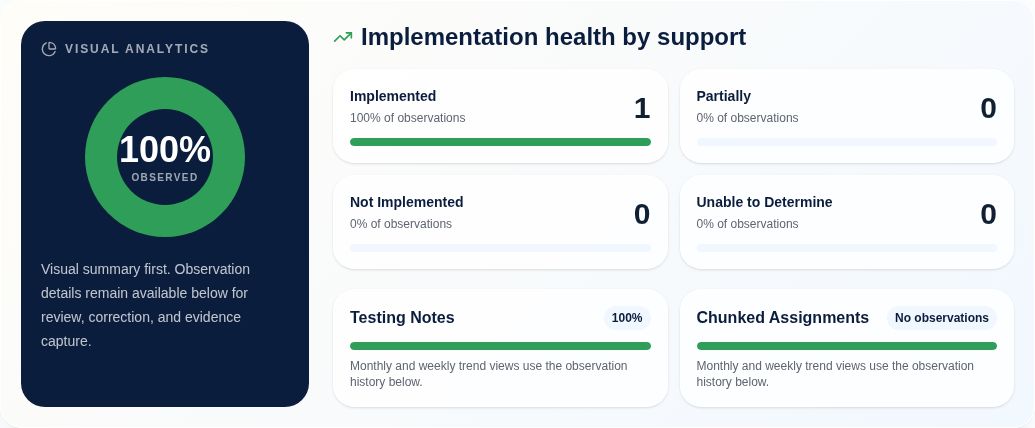
Actual app screenshot: HomeEnlarge screenshot ↗

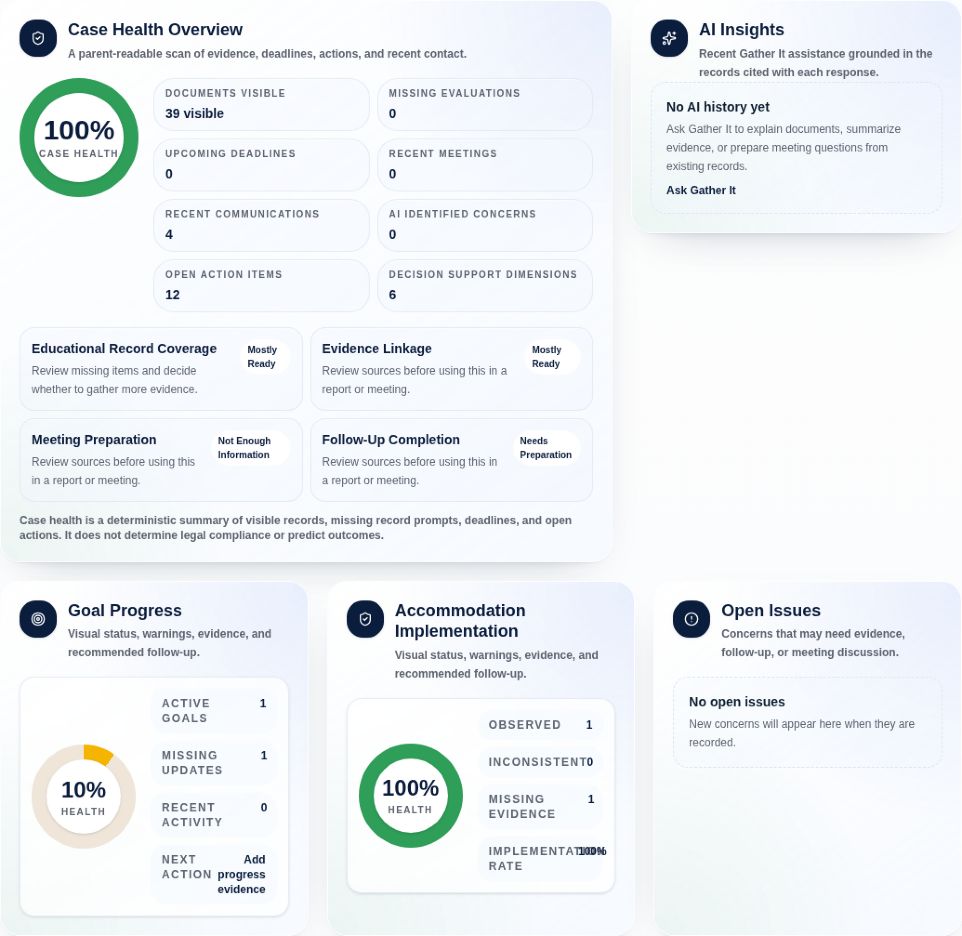
Home

See record health, goal progress, and the questions that need attention.

Use the arrows or choose a page. Select the image to enlarge it.

Gather

Bring the pieces together.

7 page & tool previewsExplore the screensHide slideshow
1 / 7
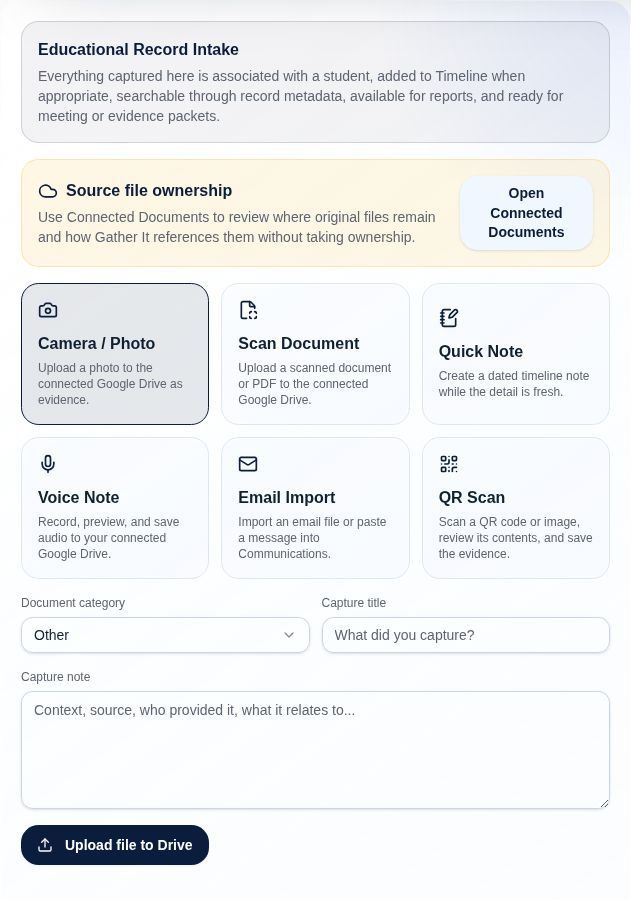
Actual app screenshot: CaptureEnlarge screenshot ↗

Capture

Bring in a document, photo, scan, voice note, or quick observation.

Use the arrows or choose a page. Select the image to enlarge it.

Understand

Understand what the record is telling you.

7 page & tool previewsExplore the screensHide slideshow
1 / 7
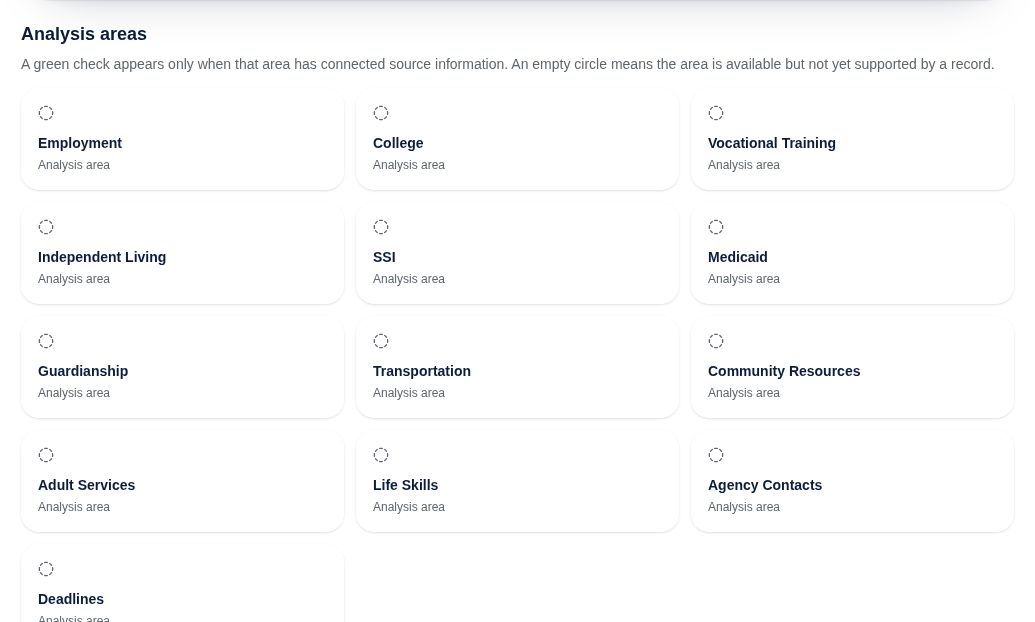
Actual app screenshot: Student OverviewEnlarge screenshot ↗

Student Overview

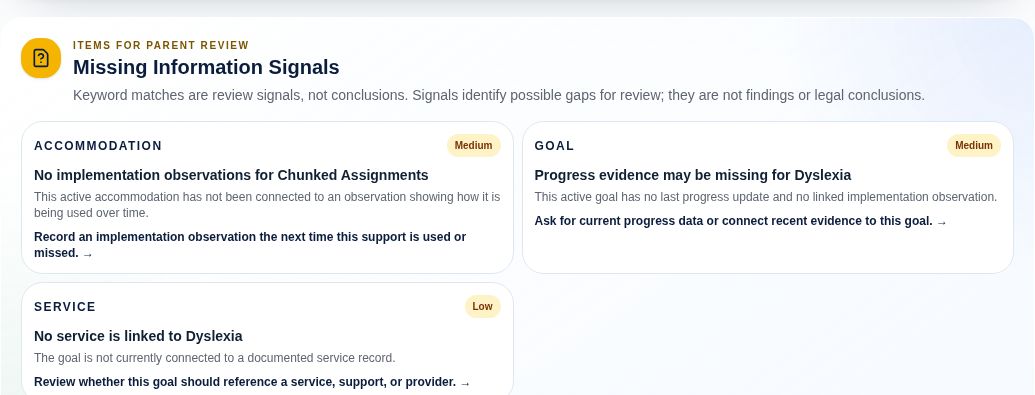
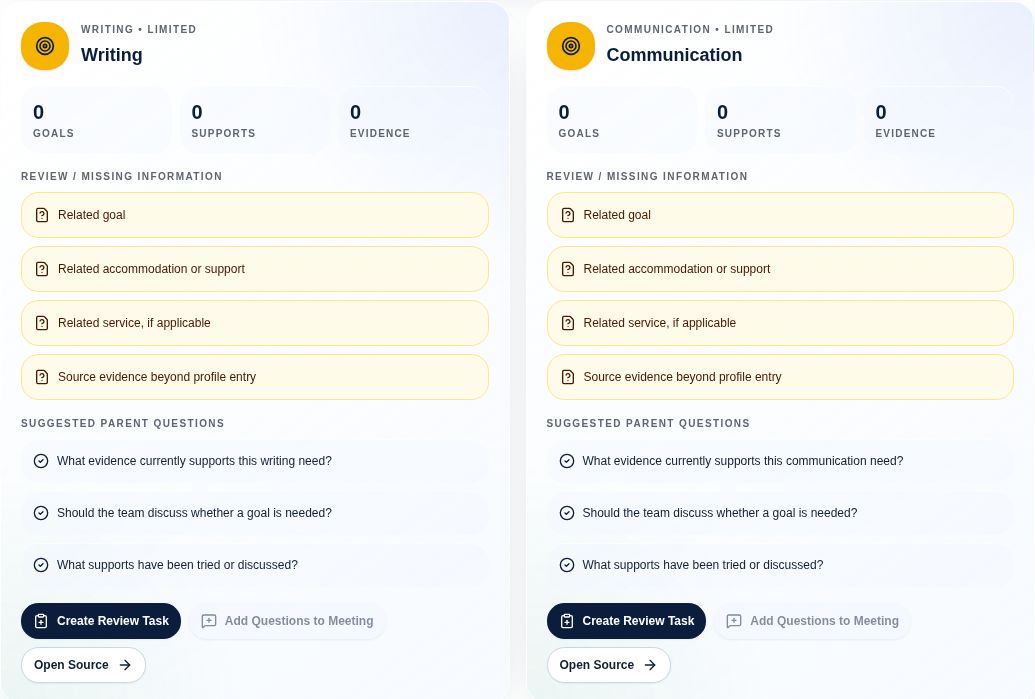
Spot missing information and see useful questions to follow up.

Use the arrows or choose a page. Select the image to enlarge it.

Prepare

Walk in with clearer questions.

7 page & tool previewsExplore the screensHide slideshow
1 / 7
Actual app screenshot: IEP ComparisonEnlarge screenshot ↗

IEP Comparison

Compare documents and review differences with source references. Available with Plus, Complete, and Max.

Use the arrows or choose a page. Select the image to enlarge it.

Progress

Turn a plan into something you can follow.

7 page & tool previewsExplore the screensHide slideshow
1 / 7
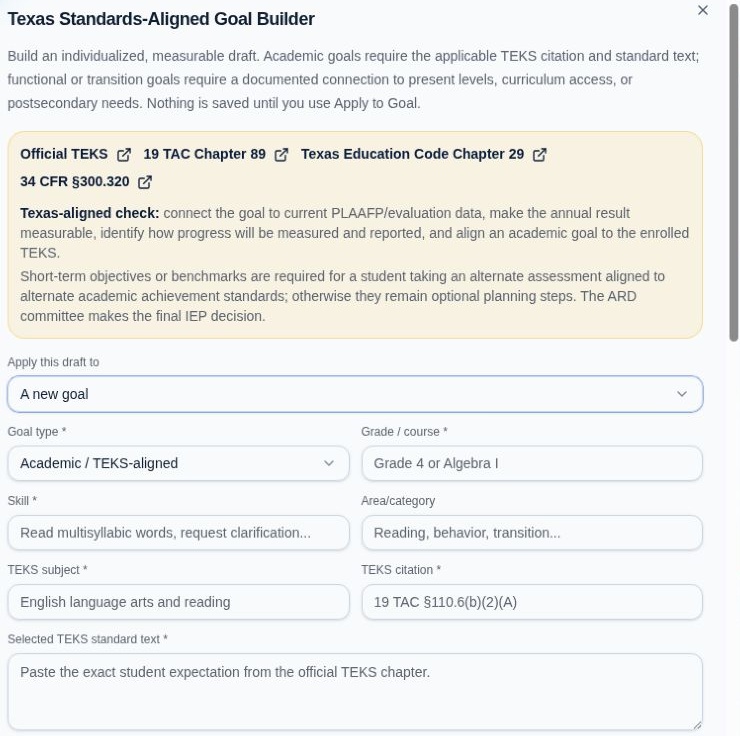
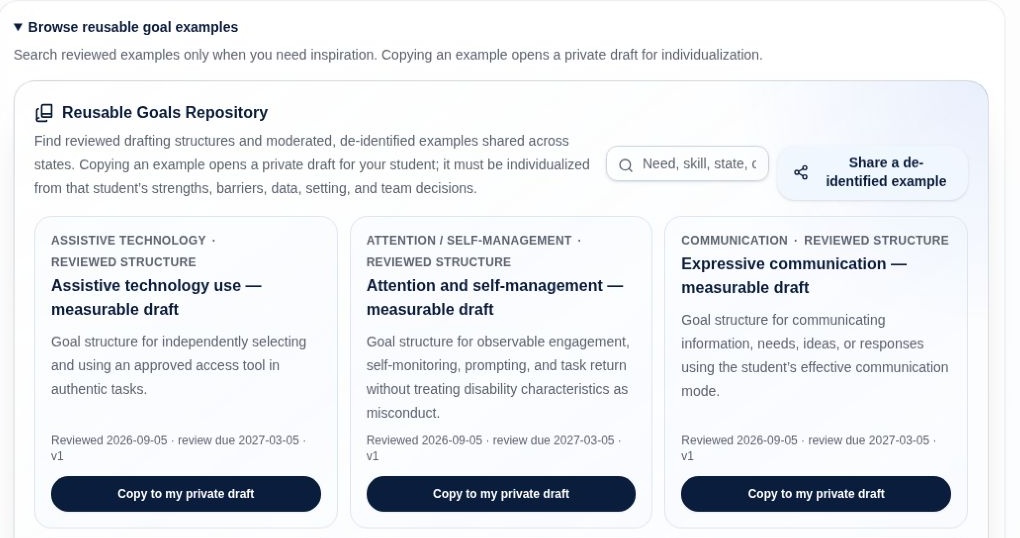
Actual app screenshot: Goals · Goal BuilderEnlarge screenshot ↗

Goals · Goal Builder

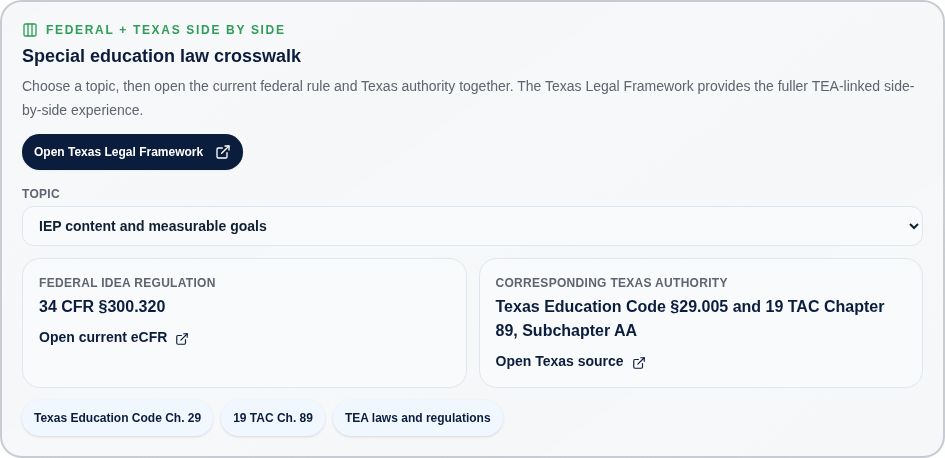
Draft a measurable goal with a baseline, target, and review plan.

Use the arrows or choose a page. Select the image to enlarge it.

Transition

Plan for life after high school.

2 page & tool previewsExplore the screensHide slideshow
1 / 2
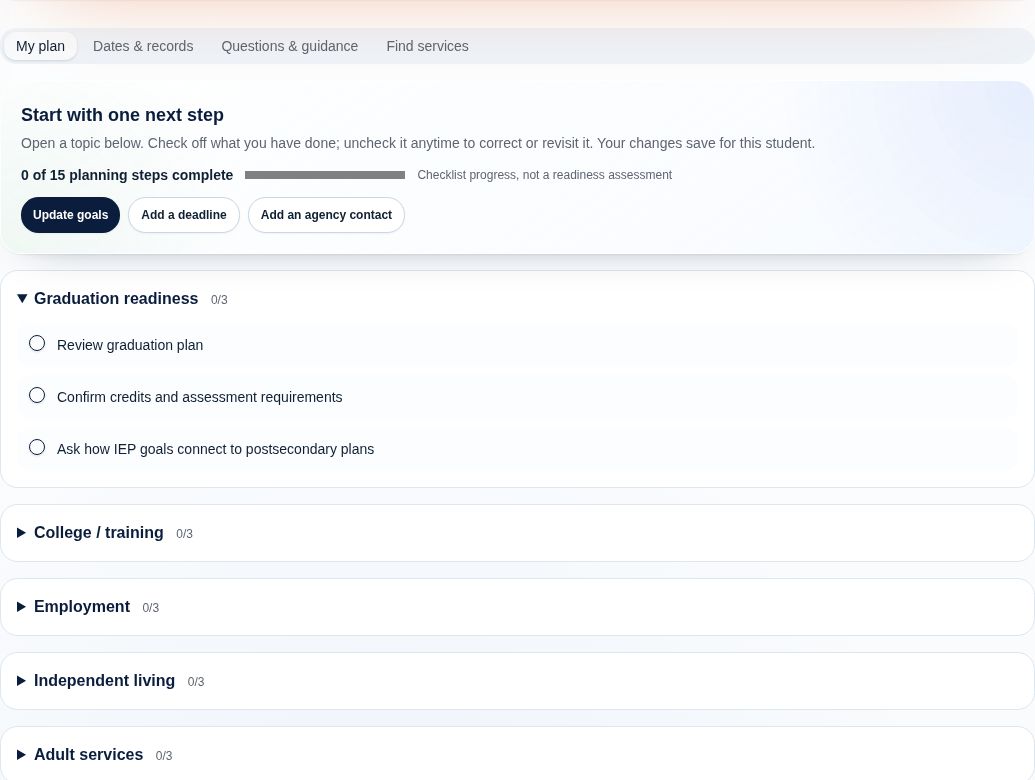
Actual app screenshot: Transition PlanningEnlarge screenshot ↗

Transition Planning

Work through graduation, education, employment, daily living, and adult supports.

Use the arrows or choose a page. Select the image to enlarge it.

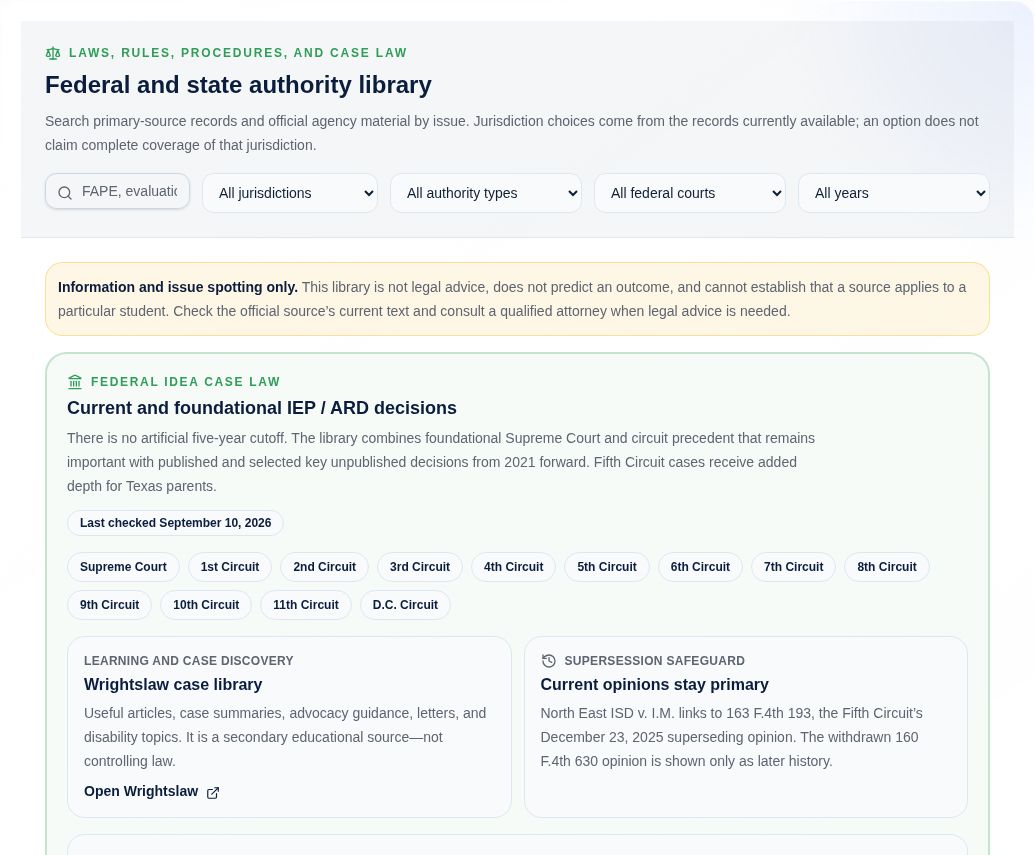
Community Support

Find help. Understand your rights.

4 page & tool previewsExplore the screensHide slideshow
1 / 4
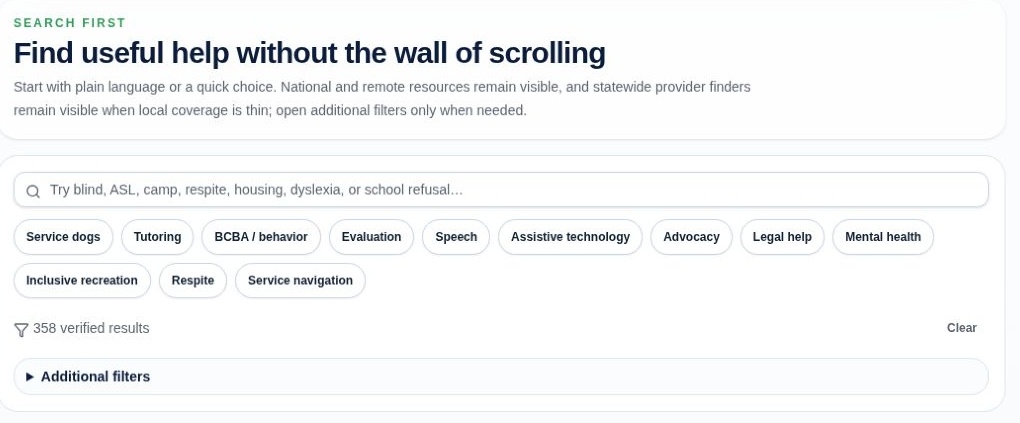
Actual app screenshot: Find SupportEnlarge screenshot ↗

Find Support

Start with your family’s needs to explore activities, services, and practical help.

Use the arrows or choose a page. Select the image to enlarge it.

Platform

Get help. Stay in control.

7 page & tool previewsExplore the screensHide slideshow
1 / 7
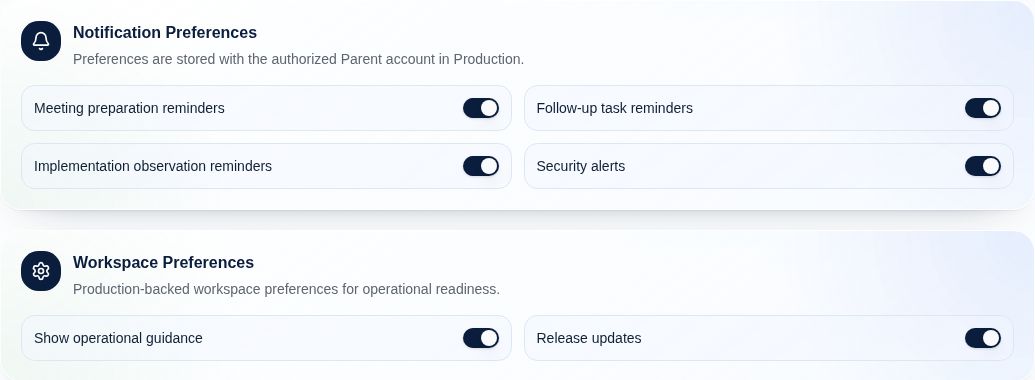
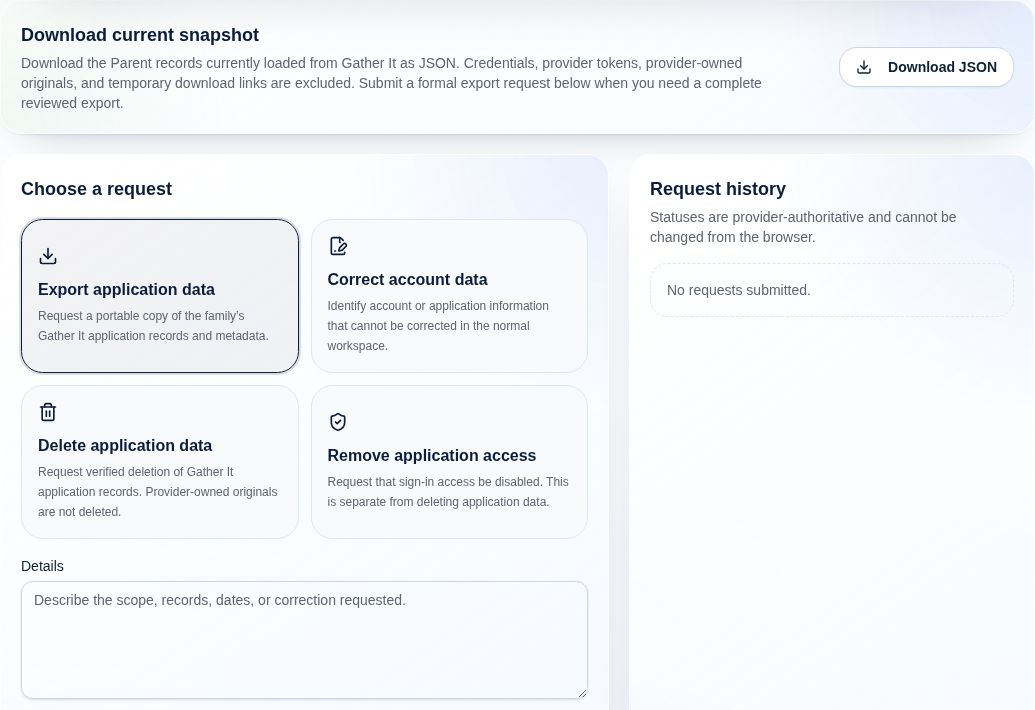
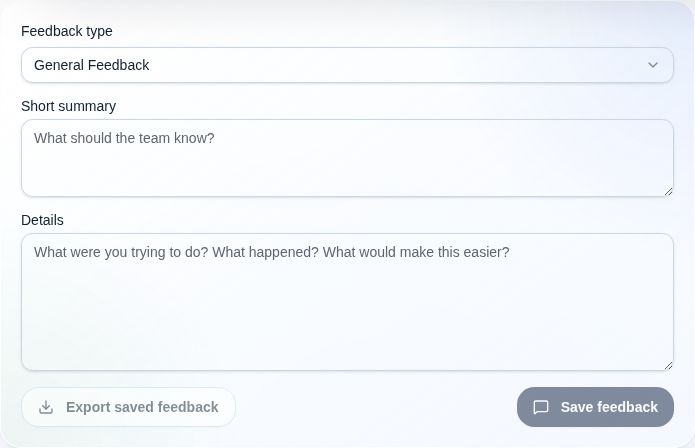
Actual app screenshot: Account & SettingsEnlarge screenshot ↗

Account & Settings

Manage reminders and workspace preferences.

Use the arrows or choose a page. Select the image to enlarge it.

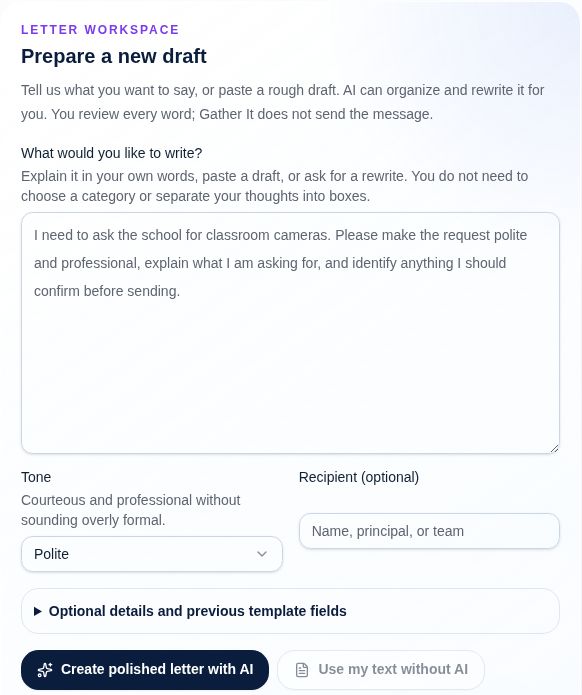
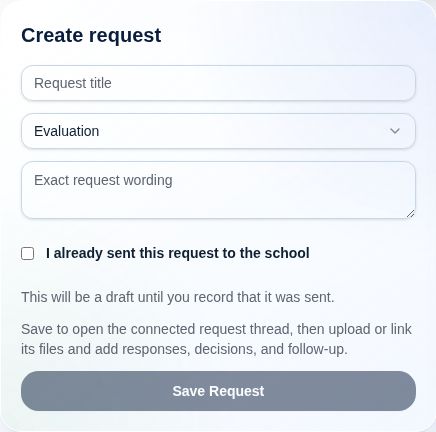
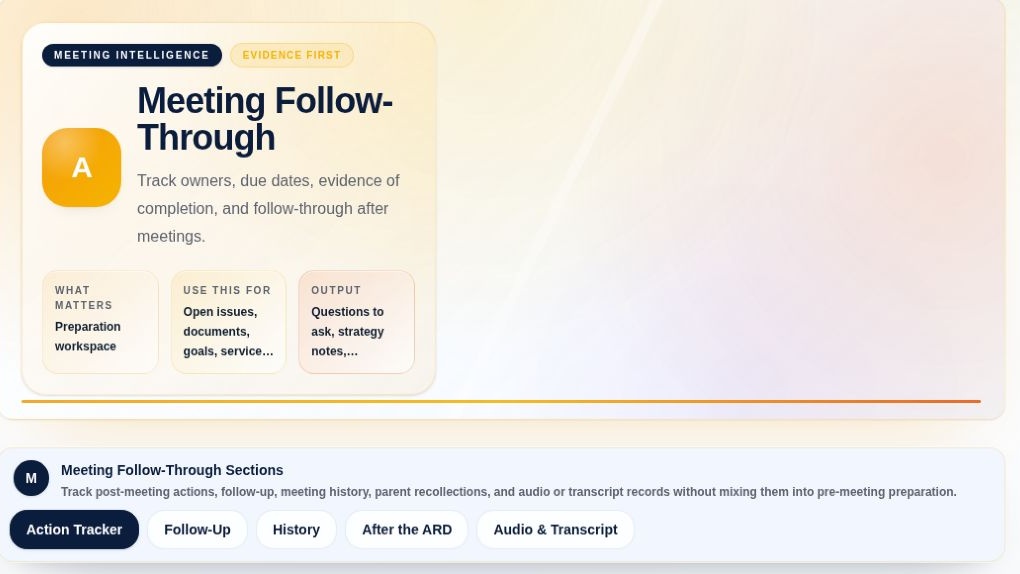
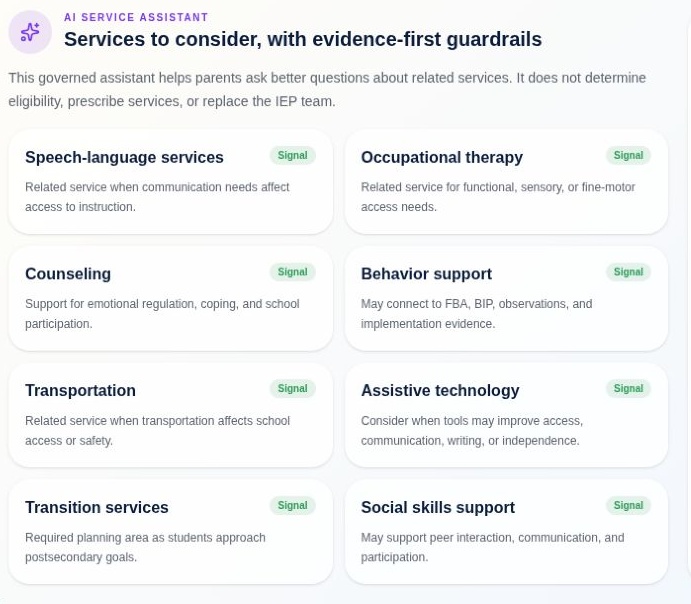
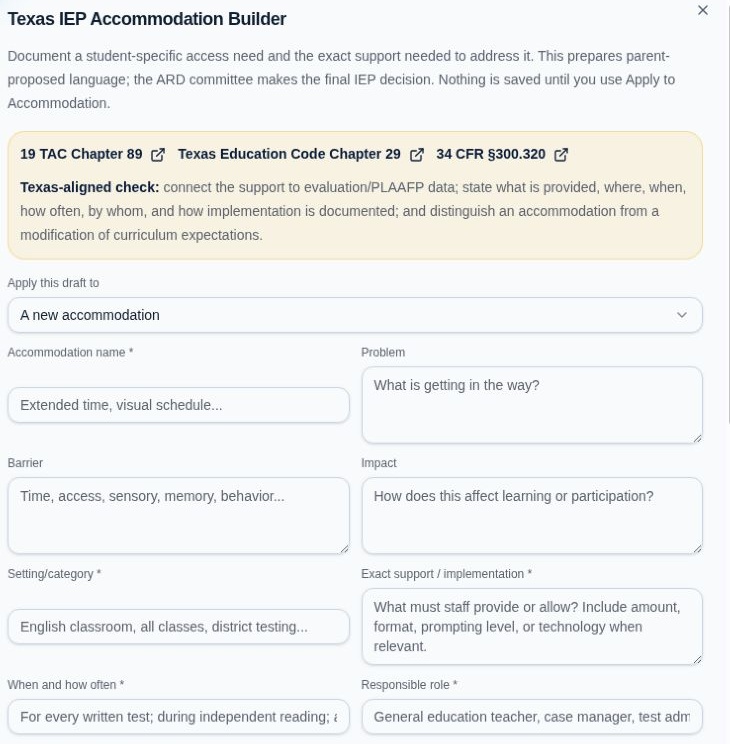
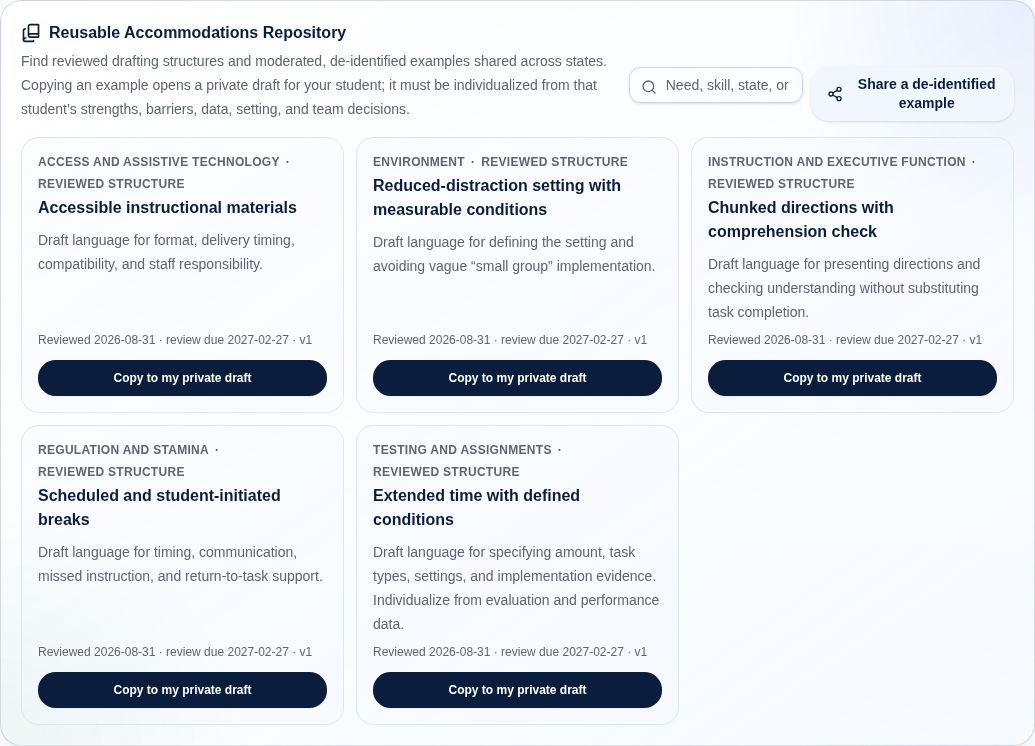
Screenshots show selected panels and blank forms from the app, with identifying details excluded. Builders and repository examples are starting points for individualized proposals. Review and adapt them with your student’s team. Feature availability varies by plan; AI tools share your plan’s monthly allowance.

YOUR FAMILY. YOUR RECORD.

You decide what to connect.
You decide who to invite.

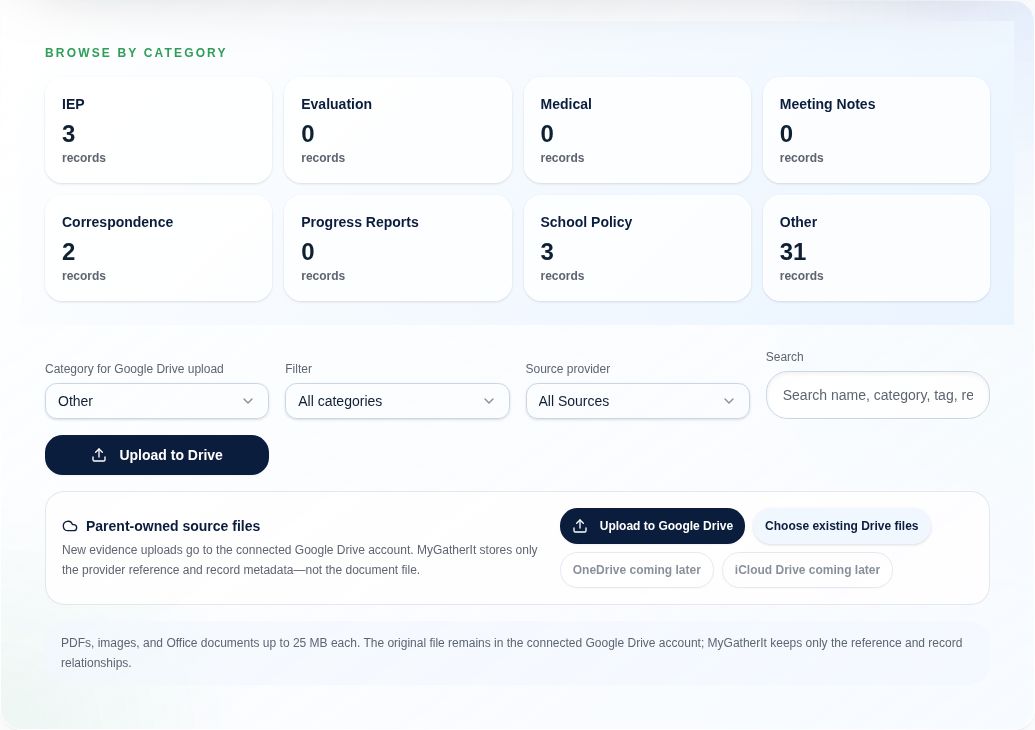
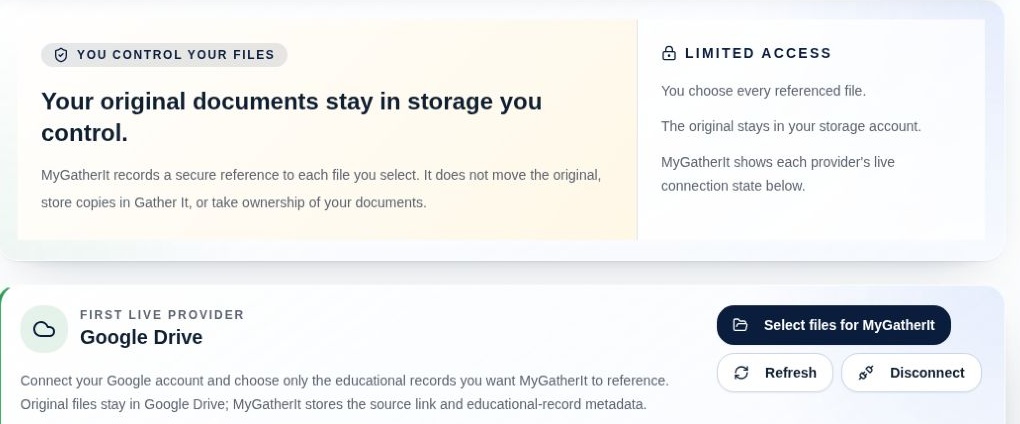
Original files stay in the connected storage you control: selected or uploaded Google Drive files remain in Drive, and personal OneDrive uploads stay in its Gather It app folder during controlled release. Gather It stores authorized provider references plus the record metadata and context you add; it does not take ownership of provider-held originals. Professional access starts with your invitation and the permissions you choose.

FAMILY & PROFESSIONAL SUBSCRIPTIONS

Support for your family.
A workspace for your practice.

Choose a family plan for your student’s educational record, or a professional plan for managing work across parent-authorized matters.

Compare subscriptions

Choose annual. Get 12 months for the price of 10.Save two monthly payments. Billed once per year; AI allowances remain monthly.

Essentials

ONE STUDENT

Build a dependable record and stay ahead of the basics.

$15/ month

Or $150/year · Save $30/year

  • Documents and communications
  • Timeline, reminders, and core reports
  • Parent templates and community resources
  • Direct search and navigation without AI credits
  • Optional purchased AI credits; no monthly AI refill
  • No meeting transcription included
For keeping the record organized.

Complete

UP TO FOUR STUDENTS

Make room for a larger family and more in-depth review.

$39/ month

Or $390/year · Save $78/year

  • Everything in Plus
  • More student capacity
  • Deeper longitudinal evidence review and reporting
  • 6,000 AI credits each month
  • 240 transcription minutes each month
  • Priority support
For more records, more context, and more follow-through.

Max

UP TO FOUR STUDENTS

More included usage for frequent reviews, conversations, and meetings.

$50/ month

Or $500/year · Save $100/year

  • Everything in Complete
  • 12,000 AI credits each month
  • 600 transcription minutes each month (10 hours)
  • More usage for ongoing conversations and draft revisions
  • Optional one-time top-ups
  • Priority support
For more frequent AI review and recorded meetings.

Professional Solo

UP TO 5 ACTIVE LINKED MATTERS

A focused workspace for an attorney or professional Team Member managing a smaller caseload.

$49/ month

Or $490/year · Save $98/year

  • Professional matter dashboard
  • Parent-authorized records and scoped access
  • Professional Inbox and secure matter messaging
  • Private professional notebook and matter notes
  • Authorized reports, exports, and review workflows
  • AI-assisted summaries and review-note drafting*
  • 10,000 AI credits each month*
  • 300 transcription minutes each month
Keep preparation, analysis, and conversations together across your matters.

Professional Practice

UP TO 25 ACTIVE LINKED MATTERS

More capacity and organization for attorneys and professional Team Members with a larger caseload.

$99/ month

Or $990/year · Save $198/year

  • Everything in Professional Solo
  • Up to 25 professional-owned active linked matters
  • Practice-level matter organization and workflow
  • 20,000 AI credits each month*
  • 900 transcription minutes each month
  • Separate visibility into matter and usage allowances
  • Priority support
Scale your active caseload while keeping each family’s permissions in place.

OPTIONAL ONE-TIME TOP-UPS

Need more before your monthly reset?

Add usage without changing your plan. These are planned launch prices; purchases are not open yet.

AI Credit Pack

3,000 AI credits

$10 one-time purchase

For all paid family plans, including Essentials, and paid professional plans.

Transcription Pack

300 minutes (5 hours)

$10 one-time purchase

For Plus, Complete, Max, and eligible professional transcription workflows.

Included usage is used first. Unused purchased credits and minutes carry forward; an eligible active plan is required to use them. Included allowances reset monthly. Each top-up requires your approval, with no automatic replenishment. Your plan, renewal date, and reset date stay the same. Top-ups add usage, without unlocking other features or increasing student or matter capacity.

Planned launch prices in USD; paid purchasing is not yet enabled. AI and transcription allowances are limited and shown in the app before use. Included usage quantities and the first payment are shown before purchase.

View pricing details · Refunds & cancellation

ABOUT US · HOW WE STARTED

We’ve been there.
That’s why we built Gather It.

MyGatherIt is a small business owned by a service-connected disabled veteran who is also the father of a special education student.

We’ve been through the frustration of trying to understand the special education process. It took our family a long time to learn, and we created Gather It to turn that experience into practical help for other parents.

The needs we encountered helped shape the program’s different areas, including the Knowledge Library and Community Support. Our founder’s first responder experience also helped shape its focus on preparation, clear information, and finding support.

Whether you’re just starting, preparing for transition to life after high school, or anywhere in between, we designed this program to help you understand the process, organize information, and prepare for the next step.

Read how Gather It started

A FEW THINGS TO KNOW

Clear answers.
Before you begin.

Which plan fits my family?

Essentials focuses on organizing records and everyday preparation. Plus adds IEP review, trackers, Student Companion, professional invitations, and AI assistance. Complete provides more student capacity and expanded review and AI allowances. Max includes everything in Complete with 12,000 AI credits and 600 transcription minutes each month. Compare the subscriptions above to find your fit.

Can I top up without changing plans?

At paid launch, the AI Credit Pack is planned at $10 for 3,000 credits and the Transcription Pack at $10 for 300 minutes. Purchased usage carries forward, and your plan and reset date stay the same. AI packs are available for all paid family plans; transcription packs require Plus, Complete, or Max. Each purchase requires your approval. See top-up details.

Do I need to move all my files?

No. With Google Drive connected, you can choose existing files or upload new ones; the originals remain in Drive. Personal OneDrive currently supports direct upload into the Gather It app folder during controlled release. Gather It stores provider references plus the app metadata and context you enter. Ask Gather It filing currently uses Google Drive, not OneDrive.

Can one document connect to several records?

Yes. You can choose the relevant timeline events, meetings, communications, concerns, goals, and services when connecting an existing document. Linking reuses the record; it does not require another copy of the original file.

How does AI fit in?

Direct lookups can find pages, Knowledge Library entries, and authorized records-including source-date searches-without AI credits. When a fuller response requires live AI, Ask Gather It shows the selected sources and maximum credit reservation before you choose "Use AI response" or "Program results only." With approval, AI can review selected document passages, continue a document-focused conversation, and help produce editable drafts and meeting materials. Current original-file content questions and assistant filing support Google Drive originals only; a OneDrive connection does not yet make those AI workflows available. Reviewable filing and meeting actions require confirmation. You review generated work before relying on it or applying it to your records.

Does my Team Member or attorney need a paid plan?

The Plus, Complete, and Max family subscriptions include scoped professional invitations. A Team Member or attorney invited into your family’s matter does not need a separate professional subscription just to collaborate with you. You control the access you grant.

Is this legal or educational advice?

Gather It helps organize records and support preparation. It does not replace your school team, an advocate, an attorney, or another qualified professional. School districts may also require their own forms or submission procedures.

KNOWLEDGE ENABLES PARTICIPATION

A clearer record.
A more prepared you.

Already have an account? Pick up where you left off.

Open Gather It

App screenshot

Actual app screenshot · Static preview · Availability depends on plan and permissions.

Open full-size image ↗